
Get Lessonbee Access
Lessonbee supports families, individual learners, schools, districts, and community programs with flexible digital health curriculum access.
How Lessonbee Access Works
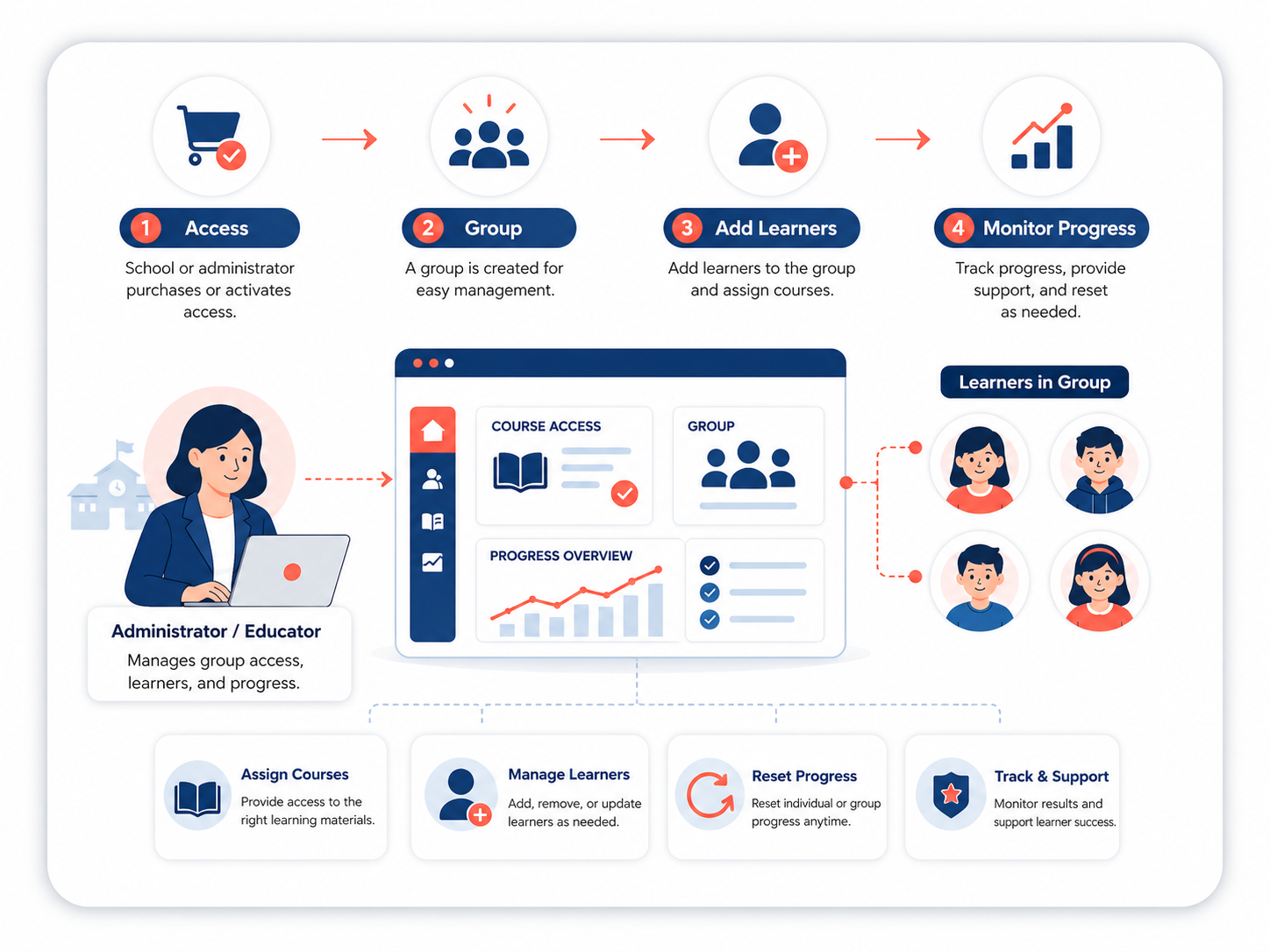
Lessonbee uses a group-based access model. When you purchase curriculum access or activate access through a school or organization, Lessonbee creates a group where learners can be added and managed.
Depending on your setup, a group administrator can:
- Add learners
- Manage seats
- View participation and progress
- Reset learner progress, if needed
- Support Google or Microsoft login for students
Lessonbee supports separate groups for different class periods, teachers, cohorts, or grade levels, as well as individual or family access. Lessonbee supports self-service onboarding for individuals, families and small groups, or Lessonbee-led onboarding for large groups (e.g. schools and districts). Groups that pay by approved an offline process and elect self-service onboarding will receive a code to complete checkout and activate access.
Jumpstart Your Implementation
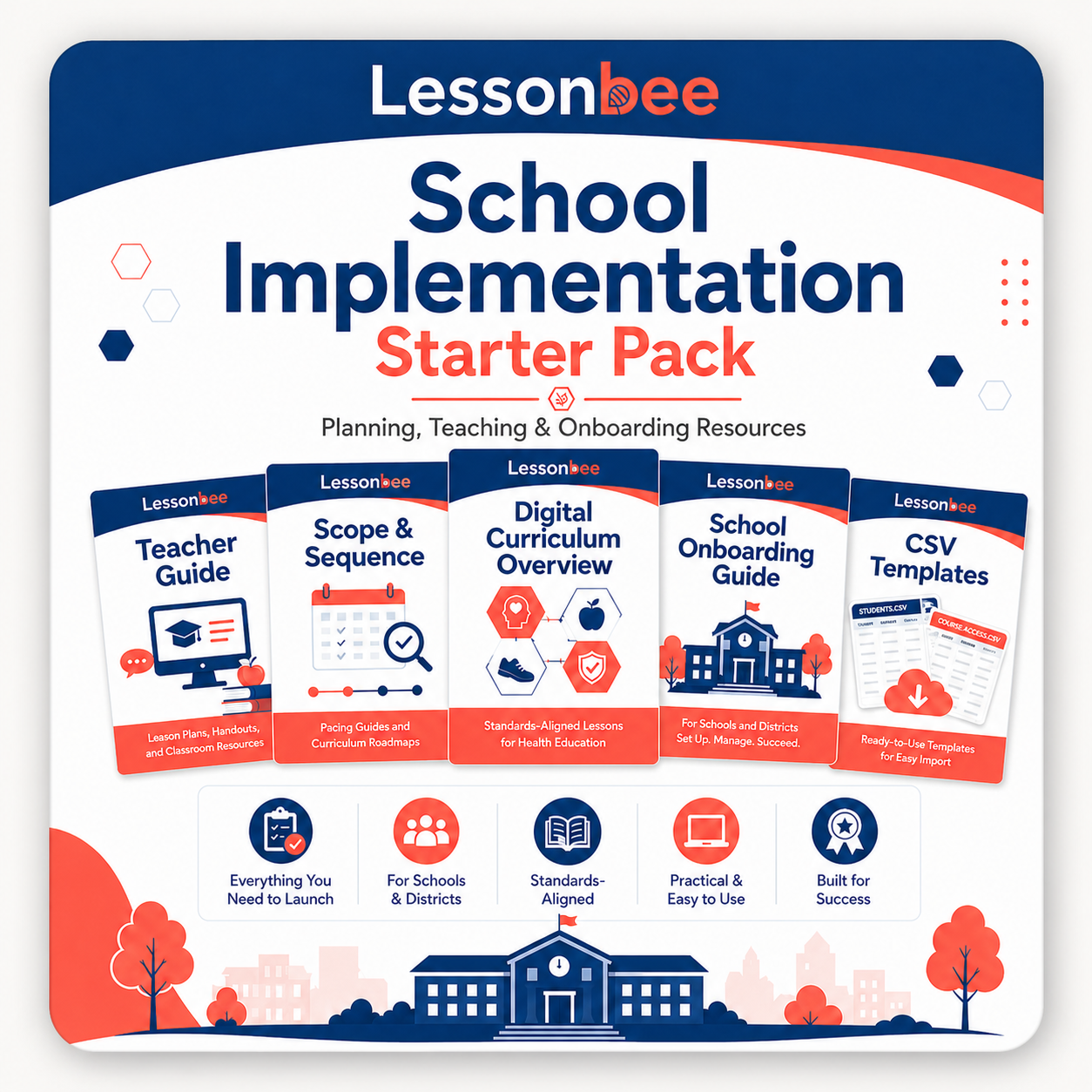
The Lessonbee School Implementation Starter Pack brings together the planning, teaching, and onboarding resources needed to get organized before launch. It is designed for schools, districts, homeschool groups, families, and community programs that want a clear path for setting up access, planning instruction, and supporting learners.
Use the Starter Pack to review the curriculum, understand onboarding options, prepare student setup materials, and plan a suggested secondary school scope and sequence.
The Starter Pack includes:
- School Setup CSV Templates
- Health Teacher Guide
- Secondary School Scope and Sequence
- Digital Curriculum Overview
- School Onboarding Guide
Purchasing and Quotes
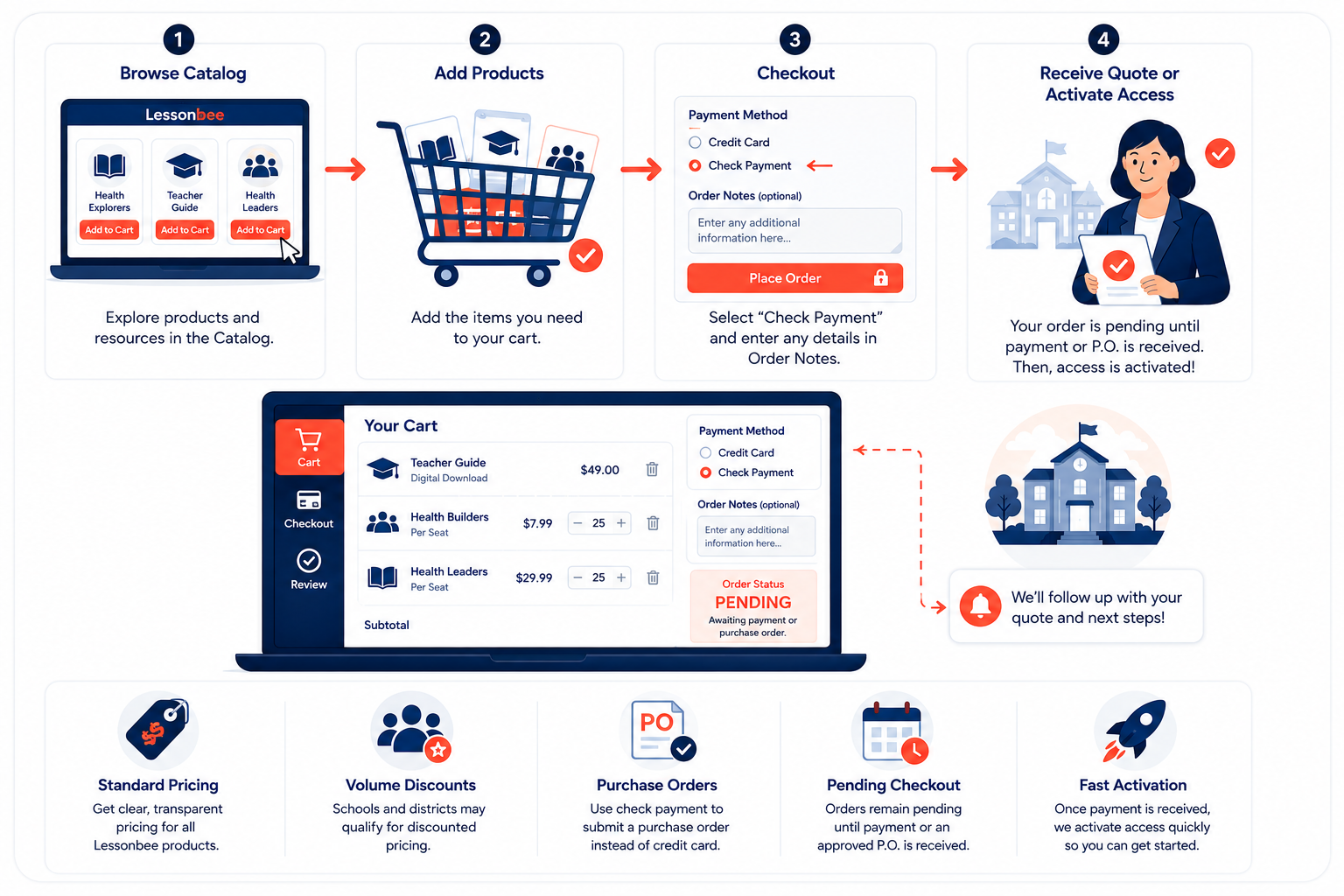
Individual and family customers can pay online via credit card using the standard checkout options. School customers can generate standard pricing or request a customized quote using the same online checkout process by following the below steps.
1. Browse the Lessonbee Catalog.
2. Add the desired products to your cart.
3. Select Check Payment during checkout.
4. Enter any additional information in the Order Notes.
5. Submit your order.
If you need a separate quote, please indicate this in the Order Notes. Your order will remain in Pending status until payment or an approved purchase order is received.
School & District Discounts
Schools and districts purchasing multiple licenses may qualify for discounted pricing. Simply indicate your requirements in the Order Notes during checkout before submitting your pending order. A Lessonbee representative will review your request, prepare a customized quote based on your organization’s needs, and follow up to complete your order.